Install on
on Android
No app store needed. Add Statline to your home screen in 3 easy steps and use it just like an app.
1
Open the ⋮ menu
Open the Statline Web App in Chrome and tap the ⋮ menu in the top right corner.
Open Statline Web App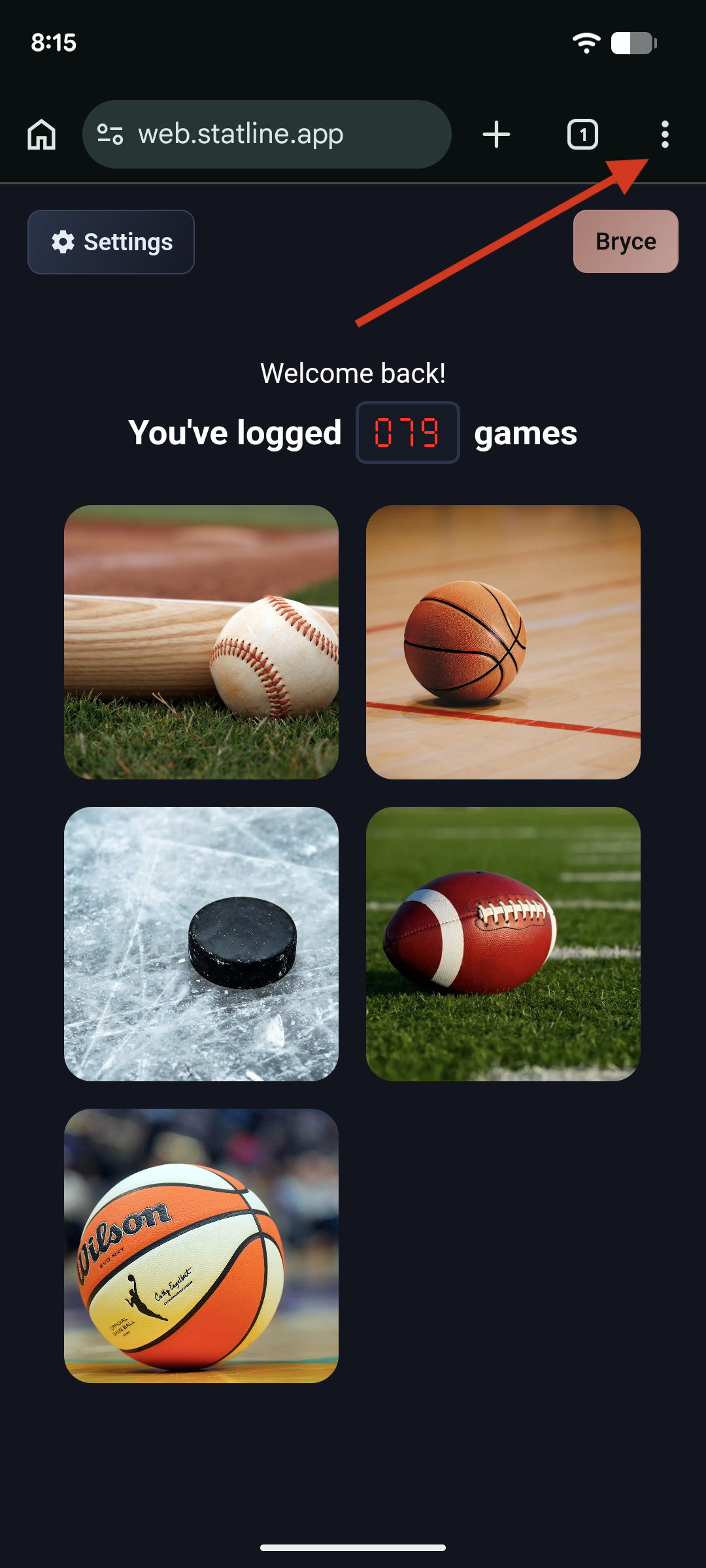
2
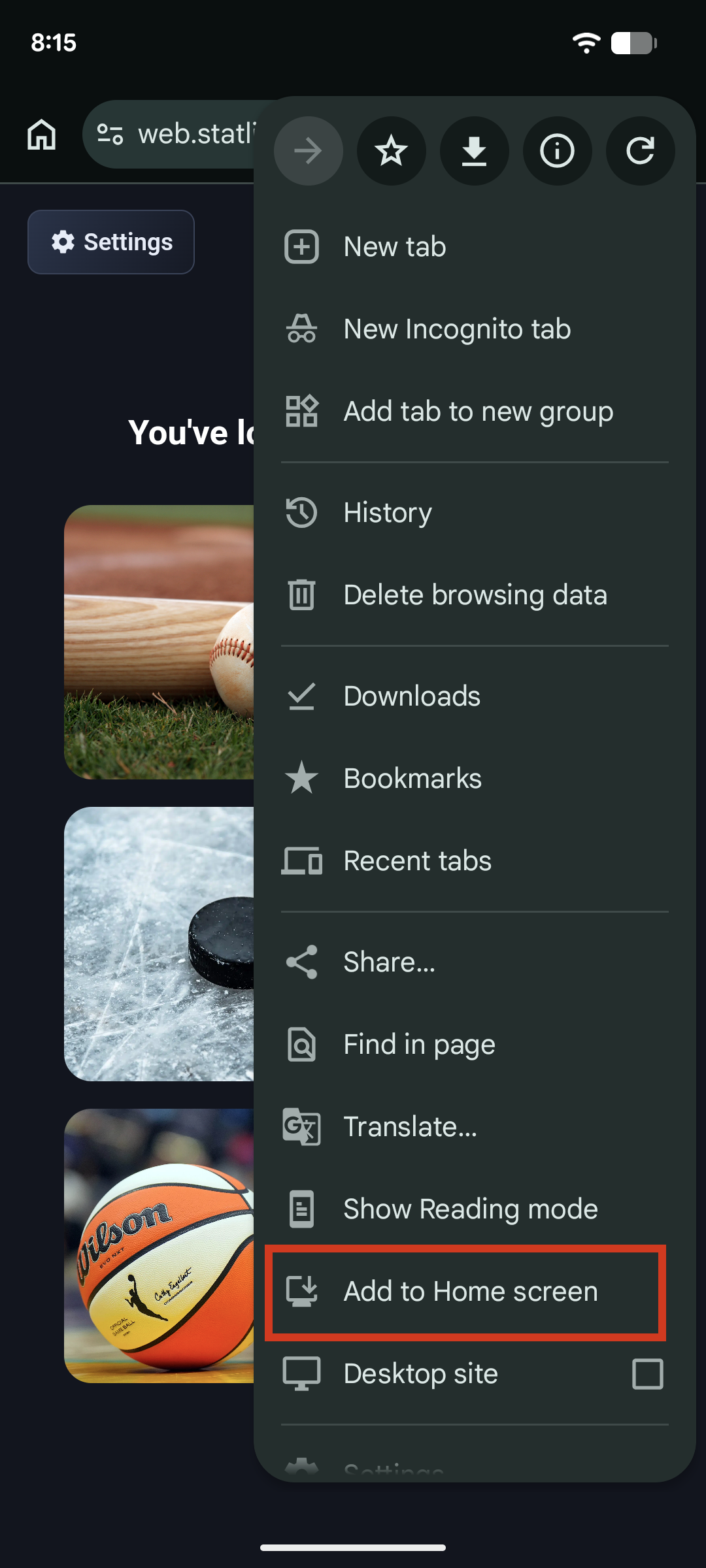
Add to Home Screen
Tap "Add to Home screen" (or "Install app").
3
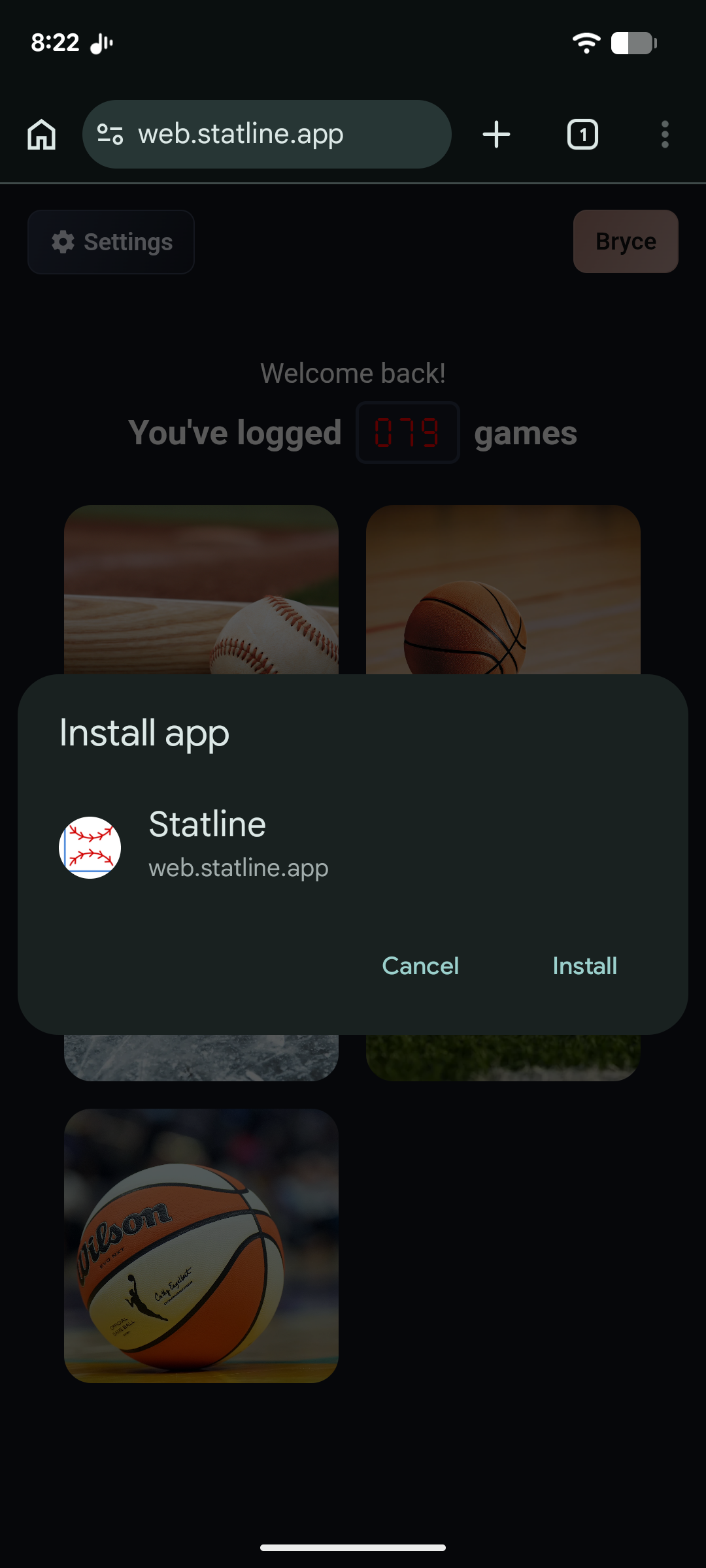
Install
Tap "Install" to confirm. Statline will appear on your home screen like a regular app.